
FlowDevs
Constrain the Problem, Not the Intelligence
Effective AI prompting requires constraining the problem, permissions, and success criteria, not the intelligence. Learn how to empower your AI agents.
Aug 1, 2026 · 4 min read
Read more
May 8, 2025 · 2 min read · Justin Trantham
Script to silently uninstall Quickbooks.
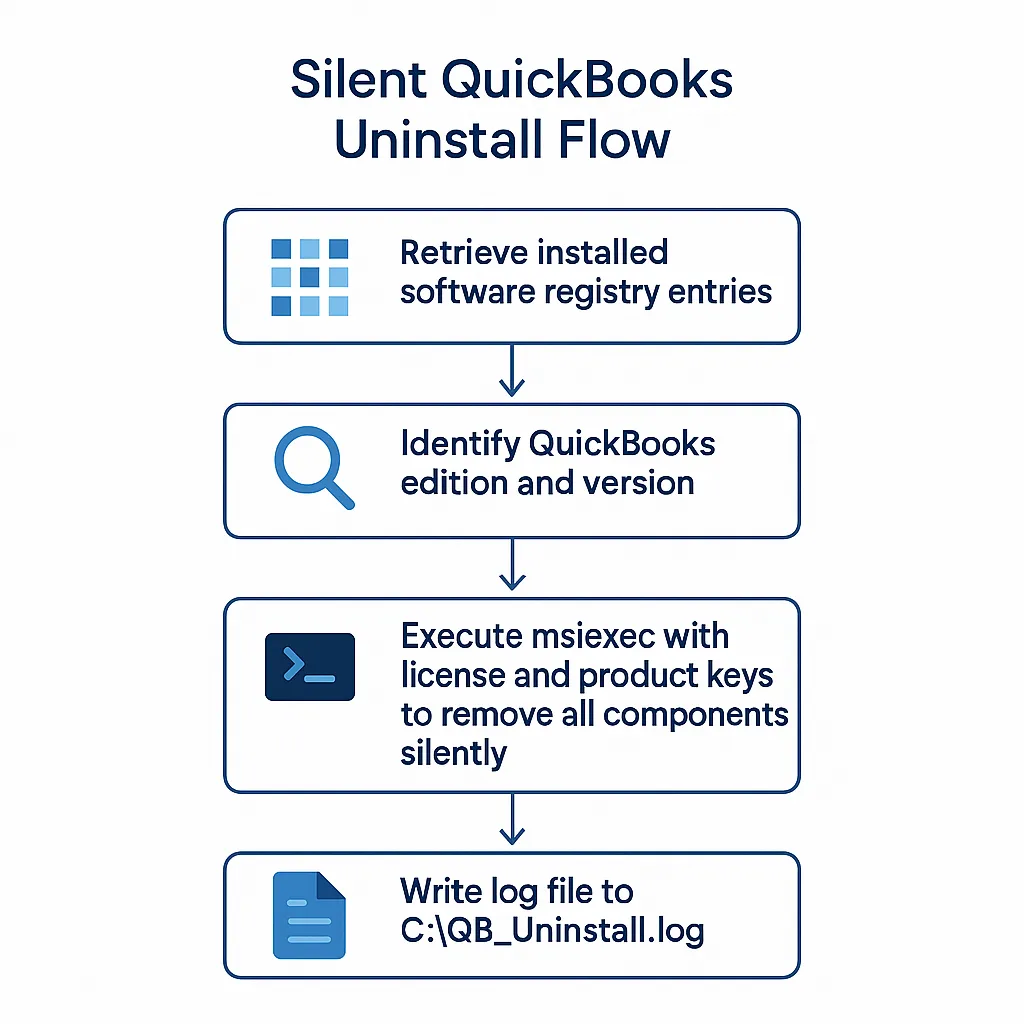
<#
.SYNOPSIS
 Uninstall a specified edition and year of QuickBooks in silent mode.

.DESCRIPTION
 Uses the product's MSI uninstall string, passing the required license
 and product keys to remove *all* components quietly and log the results.

.PARAMETER LicenseKey
 QuickBooks license key in the form 1111‑2222‑3333‑444.

.PARAMETER ProductKey
 QuickBooks product key in the form 123‑456.

.PARAMETER VersionName
 Edition name - Enterprise, Premier, or PremierAccountant.
 Default is Enterprise.

.PARAMETER VersionYear
 Two‑digit year that matches the installed major version
 (e.g. "24" for 2024, "23" for 2023, "22" for 2022).
 Default is "22".
#>

[CmdletBinding()]
param (
 [Parameter(Mandatory)]
 [ValidatePattern('^\d{4}-\d{4}-\d{4}-\d{3}$')]
 [string]$LicenseKey,

 [Parameter(Mandatory)]
 [ValidatePattern('^\d{3}-\d{3}$')]
 [string]$ProductKey,

 [ValidateSet('Enterprise','Premier','PremierAccountant')]
 [string]$VersionName = 'Enterprise',

 [ValidatePattern('^\d{2}$')]
 [string]$VersionYear = '22'
)

#‑‑‑ Retrieve installed software from both 32‑ and 64‑bit registry views
$installedApps = Get-ItemProperty HKLM:\Software\Microsoft\Windows\CurrentVersion\Uninstall\*, HKLM:\Software\WOW6432Node\Microsoft\Windows\CurrentVersion\Uninstall\* | Select-Object DisplayName, UninstallString

#‑‑‑ Find the matching QuickBooks entry
$qbApp = $installedApps |
 Where-Object {
 $_.DisplayName -like "*QuickBooks $VersionName*" -and
 $_.DisplayName -like "*$VersionYear.0*"
 } |
 Select-Object -First 1 # in case multiple matches exist

if (-not $qbApp) {
 Write-Warning "QuickBooks $VersionName $VersionYear not found."
 return
}

# The uninstall string typically looks like:
# "MsiExec.exe /I{GUID}"
# We need just the {GUID} part after '/I'
$guid = ($qbApp.UninstallString -split '/I')[1].Trim()

Write-Host "Starting silent uninstall for QuickBooks $VersionName $VersionYear ..."
Start-Process msiexec.exe -ArgumentList @(
 "/I", $guid,
 "QB_LICENSENUM=$LicenseKey",
 "QB_PRODUCTNUM=$ProductKey",
 "REMOVE=ALL",
 "/qn",
 "/L*V", "C:\QB_Uninstall.log"
) -Wait

Write-Host "Uninstall process complete. Log written to C:\QB_Uninstall.log"
Save the script locally and call the script with this: .\Untitled1.ps1 -LicenseKey 1234-1234-1234-123 -ProductKey 123-123 or remove the param block and hard code your keys! Please email clientsupport@flowdevs.io with any questions.
Effective AI prompting requires constraining the problem, permissions, and success criteria, not the intelligence. Learn how to empower your AI agents.
Aug 1, 2026 · 4 min read
Read moreStop copy-pasting standard code snippets. Learn how AI coding agents use system context to automate workflows, fix bugs, and build better software.
Jul 30, 2026 · 5 min read
Read moreA case study on why fixed UI is becoming less important and how runtime-rendered interfaces can revolutionize operational software and business workflows.
Jul 30, 2026 · 7 min read
Read moreWe build the systems described here. A short call is usually enough to tell whether it's worth building.