
FlowDevs
Constrain the Problem, Not the Intelligence
Effective AI prompting requires constraining the problem, permissions, and success criteria, not the intelligence. Learn how to empower your AI agents.
Aug 1, 2026 · 4 min read
Read more
May 26, 2025 · 1 min read · Justin Trantham
Can't log into GitHub Copilot? Here's a quick fix.
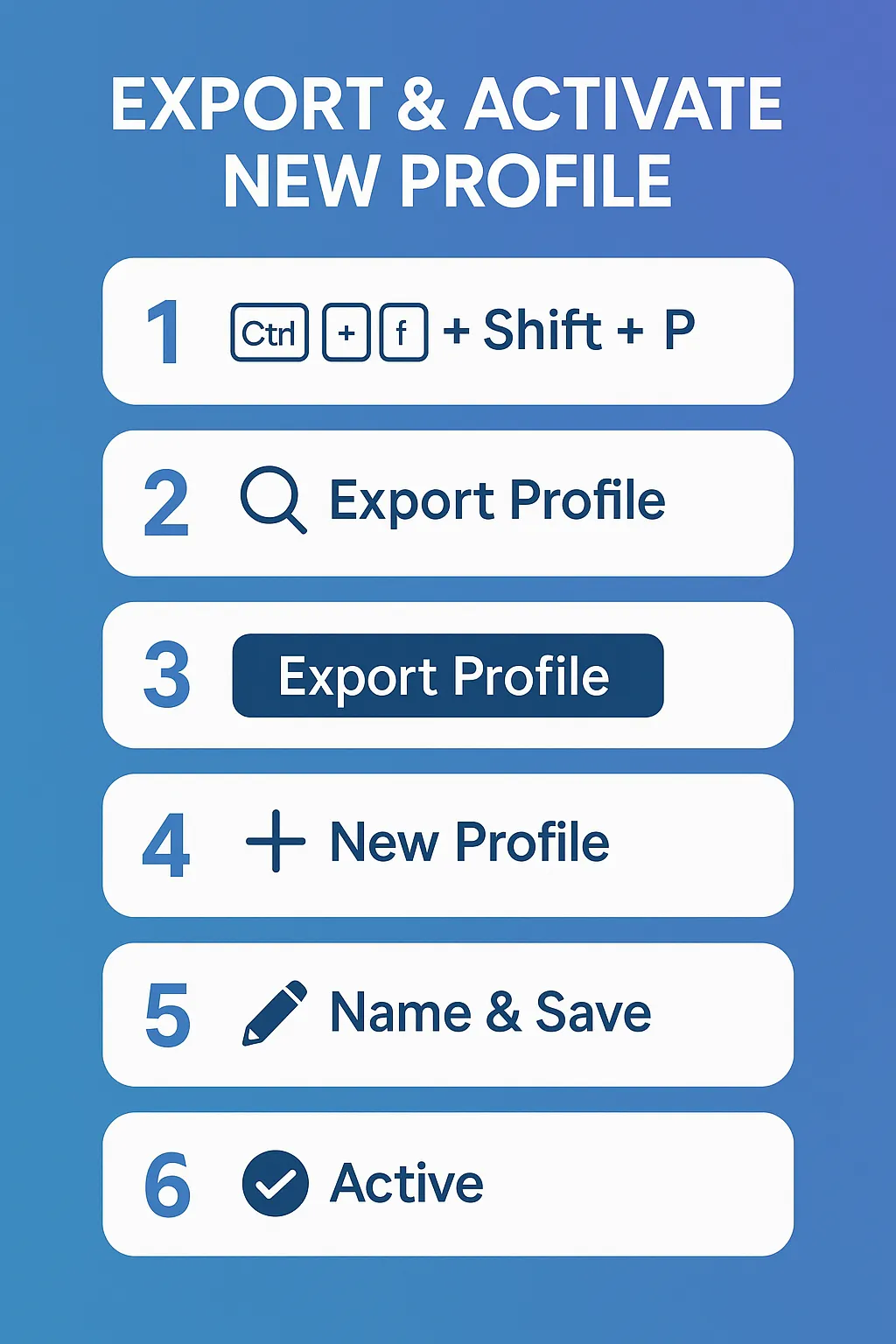
Press Ctrl + Shift + P to open the Command Palette.
Type "Export Profile" and select Export Profile from the list.
Click New Profile.
Name the profile, then click the ✔︎ (check mark) to save it.
Confirm the profile now shows as Active in the status bar.
Done your profile is exported and set as the active one. Profit!
Press CRTL + Shift + P
Search Export Profile

Export Profile Button
Click New Profile

New Profile
Name your profile then Click the Check Mark to set the new profile as active
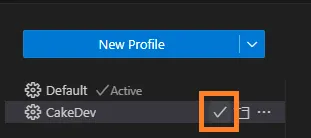
New profile Active
Profit!
Effective AI prompting requires constraining the problem, permissions, and success criteria, not the intelligence. Learn how to empower your AI agents.
Aug 1, 2026 · 4 min read
Read moreStop copy-pasting standard code snippets. Learn how AI coding agents use system context to automate workflows, fix bugs, and build better software.
Jul 30, 2026 · 5 min read
Read moreA case study on why fixed UI is becoming less important and how runtime-rendered interfaces can revolutionize operational software and business workflows.
Jul 30, 2026 · 7 min read
Read moreWe build the systems described here. A short call is usually enough to tell whether it's worth building.